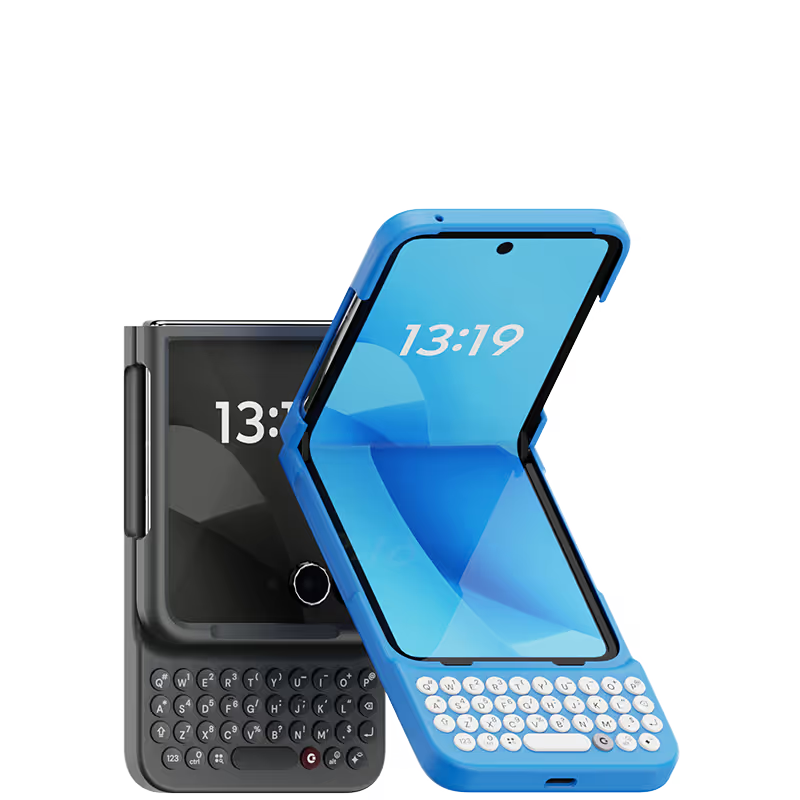
Clicks Keyboard
Clicks Keyboard

.avif)

.avif)









this is a very nice product. Customer service robots are hideous . There is no customer service. Even though you advertise other colors you really only offer the hideous taxi cab yellow. You will take an order for a less horrible color and actually charge customers knowing you don’t actually have that product available. In spite of that I like this product. I hope your company makes it

The keyboard is great. It takes a little bit to get accustomed to the size. But it works great! Overall I think it was well worth the wait.
I was initially unsure about the price of this keyboard, but after using it for a while, I can definitely see the value. The quality of the materials is excellent, and the keyboard feels very sturdy. The buttons are also very responsive and accurate. Overall, I'm very happy with this purchase.
I have so much nostalgia for my old BlackBerry Classic, so I didn't hesitate to pick up a Clicks Keyboard for my 16 Pro Max. And it didn't disappoint! The key feel is the best I've had on any mobile hardware keyboard, the backlight is very bright and consistent, and the customizability is great as well! My only gripes are that it gets really tall and a little top heavy on my Pro Max. But still highly recommended if you type a lot! :D
Writing this review on my Clicks right now. As someone who grew up with a BlackBerry and missed the feeling of physical keys, Clicks has been amazing! I don’t want to use my phone without it now.
This Clicks keyboard is a game changer for anyone who types a lot on their iPhone. It's so much faster and easier to type with than the on-screen keyboard, and I love that it has a backlight so I can use it in low-light conditions. The shortcuts and voice input are also great features that I use all the time. Overall, I'm extremely happy with this purchase!
I love this Clicks keyboard for its clean design. The feedback of the keyboard is better than any previous versions, and it's also easier to take off and on the case than ever.
Excellent design and a BlackBerry user from 2005 with my KEY2 being used till 2023. A Pixel 7 was next and I was due for an upgrade from a cracked and damaged screen in 2024. The Clicks launch was perfect timing for me. A no brainer to get the Clicks keyboard and to pair it with a 2024 razr+ as my next phone. Five stars to the Clicks Team!
I've fully got used to typing on it now, and it makes me want to text more and have full conversations!