
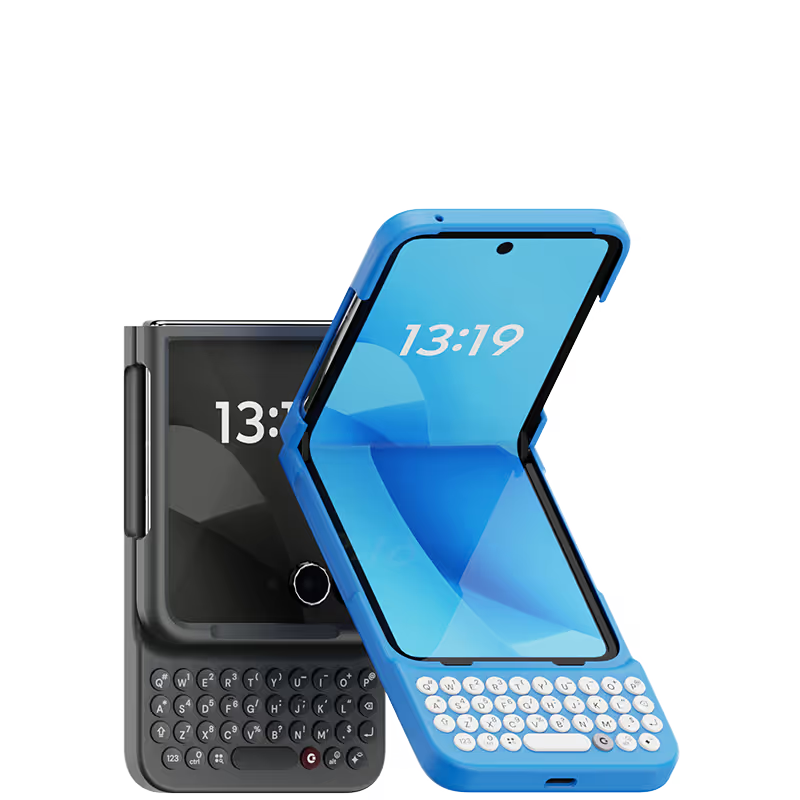



A bit hard to hold. Possible to shift the weight more bottom?
I use Microsoft Outlook for emails on my iPhone and when I'm typing between the keyboard and Outlook icons it takes up over half the screen - I can barely see the message I'm typing. Putting Clicks on gives me so much more space. Total game changer for me.
It is fun to use the physical keyboard on iPhone. The best part is it makes your phone stand out from all the other phones!
Writing this review on my Clicks right now. As someone who grew up with a BlackBerry and missed the feeling of physical keys, Clicks has been amazing! I don’t want to use my phone without it now.
This keyboard is my new tech BFF. It’s so fun to use, with a two-week adjustment period, and after two months and some monkey-type practice, I felt confident in using it. It is so satisfying to use the keyboard, and my fingers are happy not to touch the screen as much. This case connects automatically and seamlessly. The iPhone charges well with the case on. The case is durable. No complaints, other than let's have the next one with a D-pad! I am going to buy a second one for work. If you reminisce about your Sidekick like I did almost on a daily basis, just buy the case!
Attention, tech enthusiasts and keyboard warriors! Remember the nostalgic days of tactile typing on your mobile phones? The satisfying clickety-clack that accompanied every text message, email, and hastily written note? Relive those moments with Clicks for iPhone, a resurrection of the lost art of physical keyboarding. As a seasoned veteran of the mobile phone scene, I've witnessed the rise and fall of countless trends, but few have intrigued me like Clicks. This ingenious little add-on empowers you to transform your sleek touchscreen iPhone into a pocket-sized productivity powerhouse, enhancing your efficiency on the go. The Clicks keyboard is a marvel of engineering, with well-spaced keys that provide just the right amount of tactile feedback. Typing on it is like typing on a miniature laptop, but without the bulk or the awkward stares from fellow commuters. Sure, it takes a bit of getting used to. My thumbs initially felt like a fish out of water, flopping around in search of their digital home. But after a few days of practice, I was zipping through emails and social media posts with newfound speed and accuracy. And let's remember the sheer joy of hearing that satisfying click with every keystroke. It's a symphony of productivity, a rhythmic reminder that you're getting things done. Of course, there are a few minor quibbles. The Clicks keyboard adds a bit of bulk to your iPhone and makes it longer. But for those of us who prioritize function over fashion, these are minor sacrifices. So, if you're tired of hunting and pecking on your touchscreen keyboard or simply yearning for the tactile typing experience of yesteryear, give Clicks for iPhone a try. Your thumbs will thank you.
Loving using Clicks on my Razr+ (2025)... Long time BlackBerry user and seamlessly transitioned into using the Razr+Clicks combo. For the most part while out and about, I keep the phone closed so Clicks makes for an efficient and enjoyable texting experience on the outer screen. Though also quite surprised the phone doesn't feel too unwieldy when open. Love the form factor to retain the keyboard while still being a pocketable phone. Highly recommend and looking forward to any improvements in future products!!
Great implementation of concept. Addition of cursor mode is a huge leap in usability —- looking forward to continued updates. For those wishing to use for programming or IT, note that it cannot type +, *, or _ keys from hardware keyboard
Case is easy to use and utilizing shortcuts takes the phone experience to a new level. It's like having a blackberry again but better.
I have adapted to the change. I am elderly and have problems with touch screen typing. Thanks for great idea.