


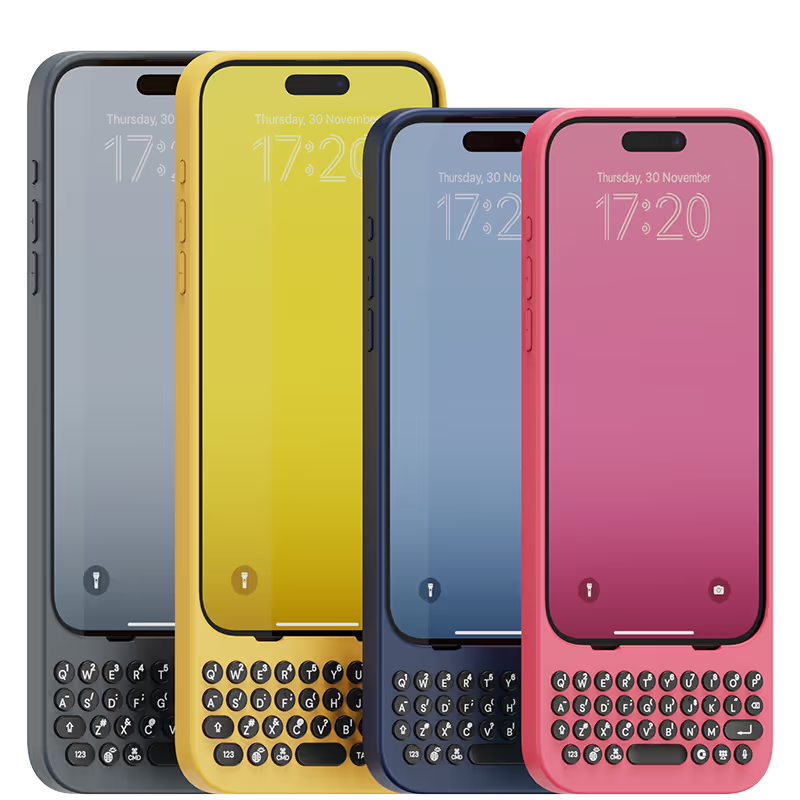
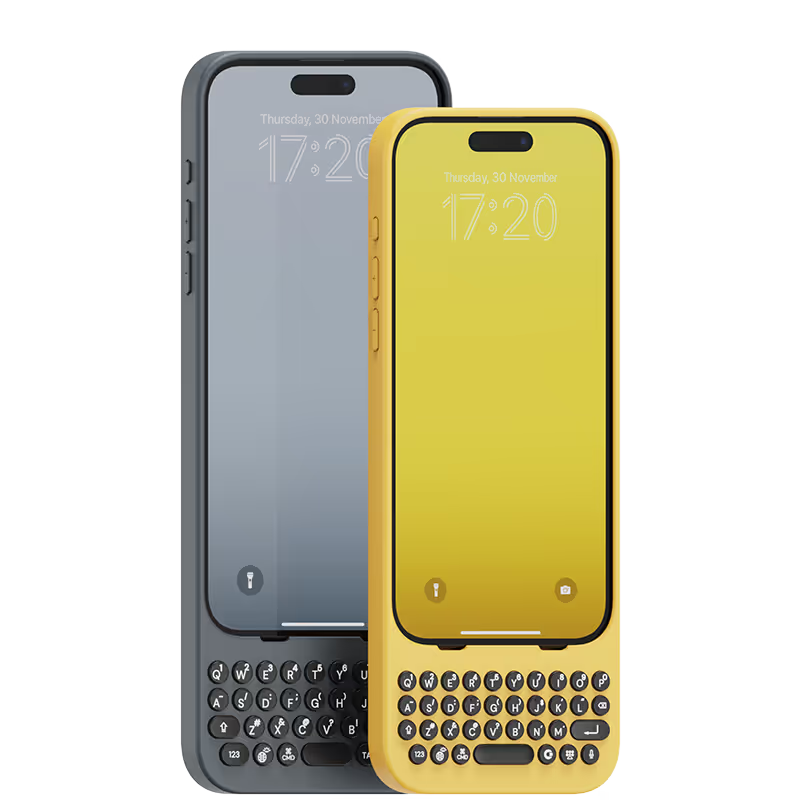


Absolutely love this thing. Using it to write my review LOL Does take a little getting used to but its so good once you do. Bought it mainly to be able to utilize my front screen but use it even with the phone flipped open. Only regret is not being able to see the future to know they'd release the Bluetooth battery pack one LOL

As a long-time fan of physical keyboards and a former BlackBerry user, I was thrilled to discover the Clicks keyboard for iPhone. This innovative accessory brings back the tactile typing experience many of us have been missing in the era of touchscreen smartphones. **Design and Compatibility** The Clicks keyboard seamlessly combines the best of both worlds – the versatility of an iPhone with the satisfying feel of a physical keyboard. It's designed to work harmoniously with the iPhone, creating a nostalgic yet modern device that caters to those who crave tactile feedback while typing. **Typing Experience** While my typing speed hasn't significantly increased, I've noticed a marked improvement in accuracy. The physical keys allow for more precise input, reducing the frustration of autocorrect mishaps common with on-screen keyboards. As with any new input method, there is a learning curve, but I've found my proficiency improving week by week. **Standout Features** The most impressive aspect of the Clicks keyboard is its shortcut functionality. The ability to open specific apps directly from the locked screen is a game-changer, especially for users with numerous applications. This feature significantly streamlines the user experience, saving time and reducing the frustration of searching for the right app. **Customization and Accessories** To enhance the Clicks keyboard experience, I've made a couple of modifications: 1. Added a low-cost MagSafe ring to the back for convenient charging. 2. Improvised a holding band to improve grip and typing comfort. These small additions have further improved the usability of the device, making it even more tailored to my needs. **Learning Curve** It's worth noting that adapting to the Clicks keyboard may take a few weeks for some users. However, the investment in time pays off as typing speed and accuracy continue to improve with regular use. **Conclusion** For iPhone users who miss the tactile feedback of physical keyboards, the Clicks keyboard is a dream come true. While it may not dramatically increase typing speed, it offers improved accuracy, fantastic shortcut capabilities, and a nostalgic typing experience. With a bit of patience during the adaptation period, this accessory can significantly enhance your iPhone usage, especially if you're a heavy typer or app user. Reference Photos https://i.ibb.co/fNqRR2v/IMG-0022.jpg https://i.ibb.co/8gGbGzv/IMG-0023.jpg
This was my second clicks keyboard purchase (bought one for Pixel 9 Pro before) and it's perfect with the Razr!
I’m so happy I followed my mind and made the purchase. I’m all about being different. Not only is this a secondary physical keyboard, it’s a very quality phone case. My phone looks great, feels secure, and the communication from CS: consistently professional
Absolutely loving my clicks case, I have used one before 16pro and loved it straight away so much better typing on proper keys and love that I have a lot more screen space. I can’t see me using my phone without this case. I also like the new design and that I can have a strap now 🙂 I would definitely recommend this case and have been doing with the amount of people asking where I got it from.
Using the native iOS shortcuts and setting up custom ones in the Shortcuts is where the real power behind this accessory comes into play. It's also refreshing to have the entire display of my iPhone 15 Pro Max visible, instead of having a pop-up keyboard that consumes a third of the screen. I also hate the default iPhone keyboard, and find third party keyboards to be mostly an exercise in frustration. Lots of lessons have been learned in the process, and the folks at Clicks truly brought their expertise and attention to detail with the design and build of the Clicks Keyboard. It is now an essential accessory for me, and I continue to figure out ways to make it better on a regular basis. If you miss the physical keyboard on devices like the Blackberry, this accessory is well worth the cost.
Outside of the nostalgia of having a keyboard, this case is by far the most handy accessory to have with an iPhone. I have more screen now, and even use my phone for programing on the go. This is an excellent invention and I hope for more. Clicks It would be neat if you came up with a MagSafe folding wallet accessory to go with this. Way more space of more cards. Id buy it in an instant!
what a game changer improved screen size and typing like a wizard !
I love my Clicks keyboard! The keyboard allows me to do so much work from my iPhone without having to edit typos. I was a Blackberry user even when the iPhone started rolling out and did not switch over to iPhone until I was forced to (the country I lived in no longer supported RIM). The Clicks keyboard has allowed me to finally fall in love with the iPhone. To the developers of Clicks, THANK YOU!


.webp)

.avif)


