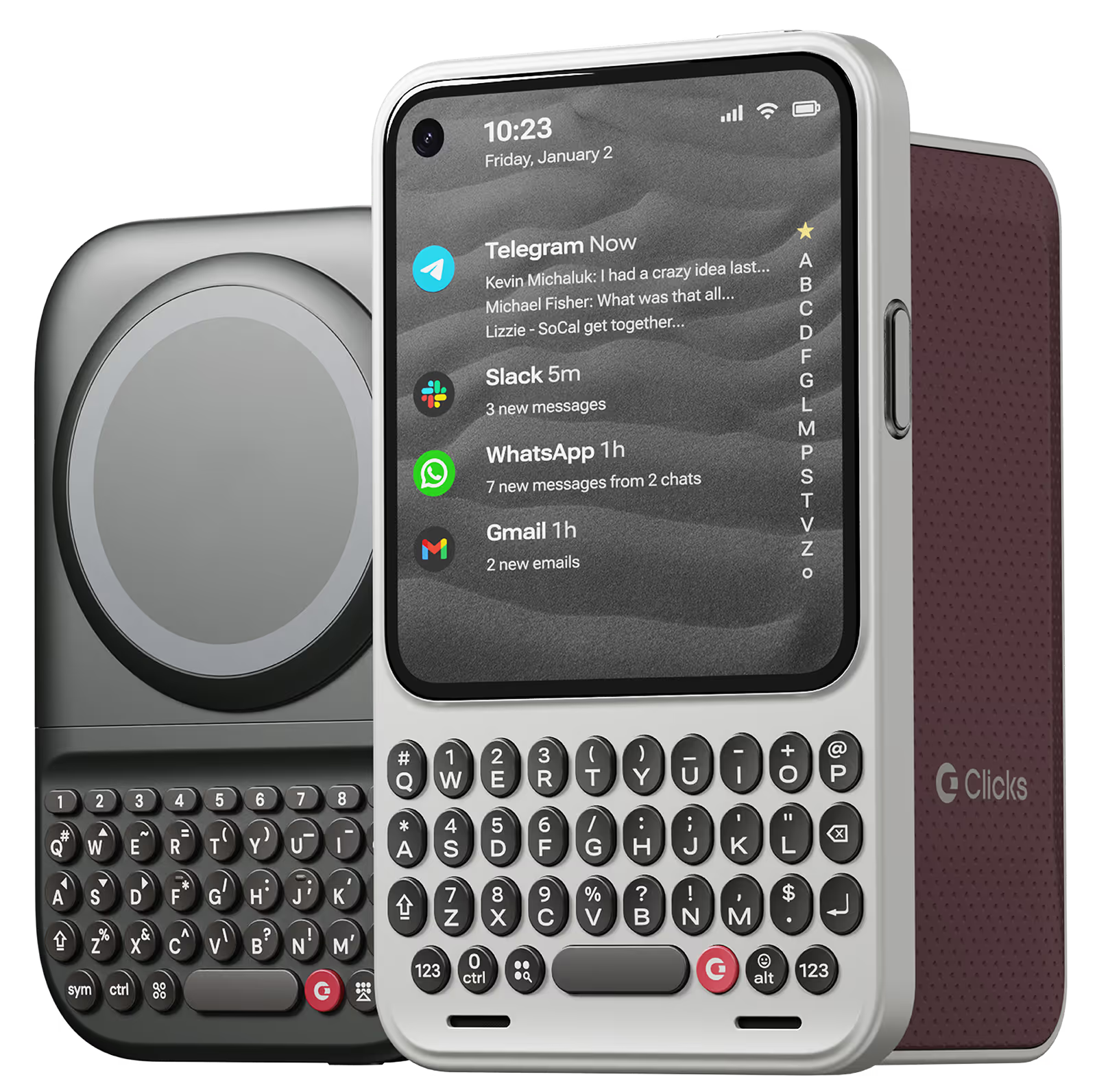
I've had this almost an entire month by this point, and I love being able to touch type on my phone again <3 It's definitely worth every penny, in my opinion. I would absolutely purchase this again, and I would recommend this purchase to others. That being said, there are a couple of improvements that could be made, which is why I am leaving 4 stars instead of 5. 1 ) Sometimes the buttons on the left side (Q, A, Upper Case, 123) get stuck for a bit. I am unsure if this is a user error or a design error. 2) I do wish the case had a bit of weight behind the keyboard itself - it took a couple of weeks to get used to how top heavy the phone feels in this case. 3) I wish the keyboard was a full keyboard - I use the '+' symbol a lot, and it's annoying to have to remember to use the specific "keyboard up" key rather than the world "emoji" key to get the on screen keyboard. A full keyboard has a "+" sign already. I understand why Clicks doesn't have a full keyboard - the phone would be hella long with it, I suppose. 3.1) Alternatively, it would be awesome if I could create custom keystrokes using the clicks key + another key on the keyboard. This would allow the option of having/using additional special characters customized to each user.
A great case of You want a physical keyboard! I Love the extra screen space! It would be nice to keep the Predictive Text bar and still have the passwords bar pop up like normal… Other than that, it’s such an amazing case!
Love my Clicks Keyboard for iPhone 16 Pro! Could not live without it!
As a practicing professional who is always on-the-go, getting this case made me more efficient as I can now work with a bigger screen using my phone. Writing my notes and viewing files are now more efficient due to the availability of a bigger screen. It's really a very good investment for those who are always working on their phones.
I thought it was gonna be easy like learning to ride a bike again. I was wrong, but it takes a little more time to get used to physical keyboards again.
this is a very nice product. Customer service robots are hideous . There is no customer service. Even though you advertise other colors you really only offer the hideous taxi cab yellow. You will take an order for a less horrible color and actually charge customers knowing you don’t actually have that product available. In spite of that I like this product. I hope your company makes it
Was missing my crackberry but it's back now. A little weird it took Apple and a keyboard case to do what BlackBerry couldn't, but whatever. I'm for it.
The clicks on the keyboard are comfortable and easy to type and I never press the wrong key at all. I have created 42 keyboard shortcuts using iOS shortcuts and Clicks mode, so most of my work is completed using the keyboard alone. However, when using Japanese, there are many cases where "ー" is used in Japanese words, so a separate key is necessary. Also, it would be very inconvenient if there were not an icon to indicate whether the active input language is Japanese or English. If these two points are improved, I believe that the use of the system among Japanese people will increase significantly.
I had the original Clicks keyboard for the iPhone 15, and while the color was a little outlandish, the ease of typing and new screen real estate made it feel like a "phablet." Now that I have been able to upgrade to the 16 Pro Max, I wanted to try out the second iteration of the Clicks keyboard, and I am so impressed. It has an Alcantara/suede interior the rear glass sits in, and I can see the manufacturer added a MagSafe magnet which I use daily. The camera bump is a little shallow to be very protective, but I keep this on my desk and in my pocket when I'm walking at work. The keyboard experience is confident, reliable (so far), and easy to become intuitive. I was always a BlackBerry user and have been quick but clumsy on touch screen keyboards but managed to get by with aggressive auto-correct. I am not a huge fan of voice to text because I work in tight settings. Thus, this really fits the bill for me. EVERYONE I work with asks about it and is impressed. The shortcuts help out, especially with the new Apple Intelligence command. I've just been really impressed ever since I learned about this keyboard concept from the Crackberry forum (I believe it was co-created by its founder). I hope to have this for the life of my iPhone, which I anticipate very heavy daily use for about three years. Updates to come :)