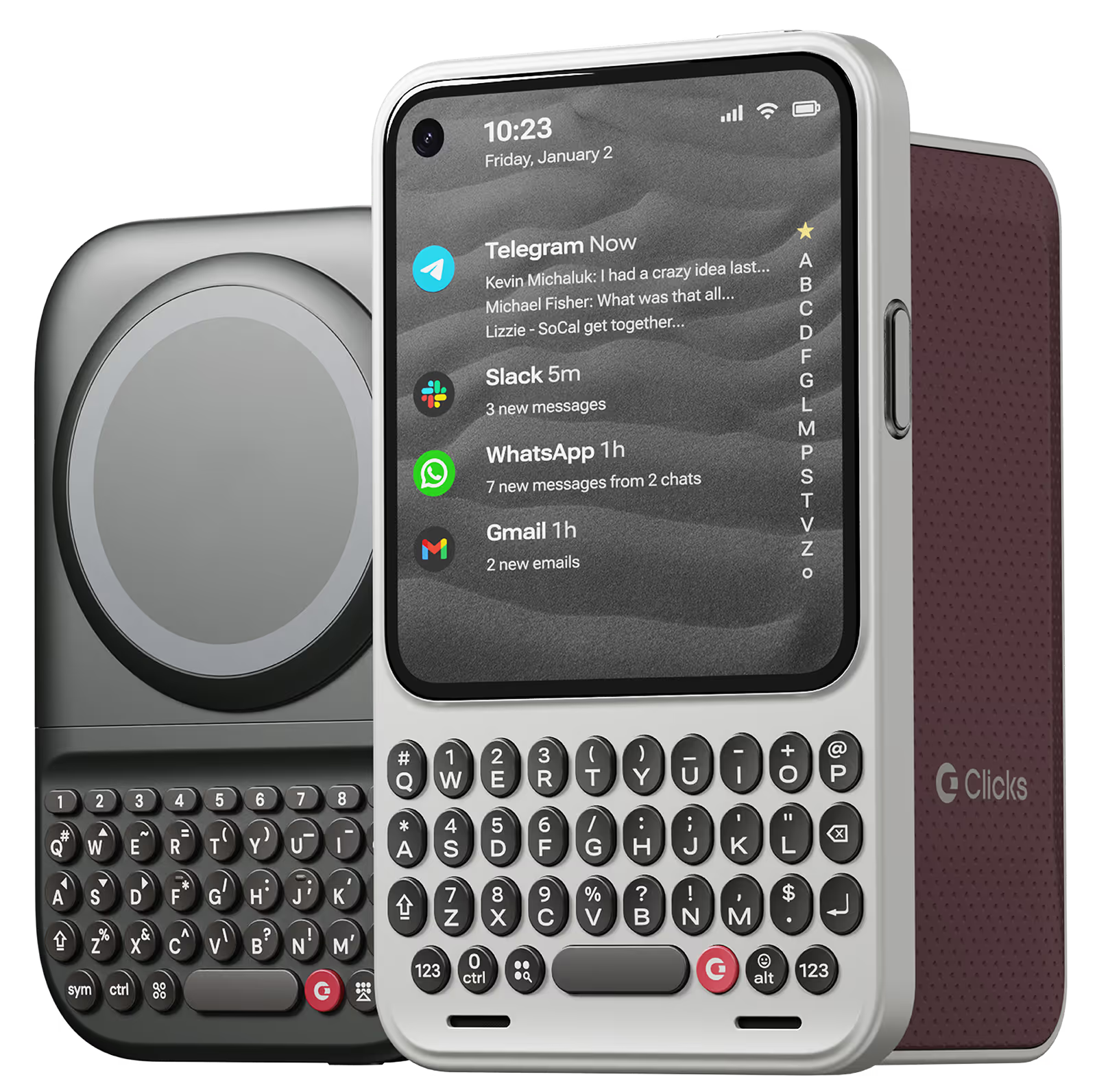
I love using this keyboard for working on my iPhone when I'm on the go. It's so much more convenient than carrying around a laptop. I highly recommend this keyboard to anyone who needs to be productive on their iPhone.
So far its been great! I've had it for a few weeks without any issues. There are a handful of small bugs, but the usability of the keyboard had been great! Its fun to have keys and they are extremely clicky and satisfying to use!
ever since I switched from a blackberry to an iPhone, I’ve been frustrated trying to type with a keyboard and with that darn AutoCorrect constantly making it difficult for me to get a sentence across. For the past decade, I’ve been joking that I wish I can get my blackberry back because I miss the feeling of the textile keypad and being able to actually feel and see and touch the buttons that I want to hit. Then, I found clicks! It’s like they were listening to my thoughts and created a product. That’s exactly what I was hoping for. The Bunce feel perfect, everything works perfectly with my phone, no glitching, no problems whatsoever. If you were sick of fighting with your iPhone and just want something that you can use that is clean, crisp, and you can finally get the satisfaction of typing and hitting the buttons that you want to hit. Then get yourself a Clicks.
I'm a student who relies heavily on my iPhone for note-taking and research. The Clicks Keyboard has been a revelation. Taking detailed notes in class is a breeze now, and researching complex topics feels so much more efficient. The ability to customize shortcuts for specific apps has been a huge time-saver. Highly recommend for anyone who wants to maximize their iPhone's potential.
This is my favorite iPhone accessory ever. Warning though... you're going to get stopped by people asking you about it all the time - Clicks in yellow gets attention.
もともとBB KEY2を使っていたのですが、さすがにもう厳しくなってきたので、Clicksに乗り換えました。使用感の違いが気になるかなと思っていましたが、もうすっかり慣れてしまいました。 サイズも最初からこういうアイテムだ…と思えば気になりません。
"A keyboard that is user-friendly and works well in Japanese. Sometimes, the predictive text does not stand out when the background color of the app is the same. Although the body may become larger, using MagSafe-compatible pop sockets can provide stable use. I hope for future updates to include MagSafe compatibility. I have already ordered a second one!"
As a long-time fan of physical keyboards and a former BlackBerry user, I was thrilled to discover the Clicks keyboard for iPhone. This innovative accessory brings back the tactile typing experience many of us have been missing in the era of touchscreen smartphones. **Design and Compatibility** The Clicks keyboard seamlessly combines the best of both worlds – the versatility of an iPhone with the satisfying feel of a physical keyboard. It's designed to work harmoniously with the iPhone, creating a nostalgic yet modern device that caters to those who crave tactile feedback while typing. **Typing Experience** While my typing speed hasn't significantly increased, I've noticed a marked improvement in accuracy. The physical keys allow for more precise input, reducing the frustration of autocorrect mishaps common with on-screen keyboards. As with any new input method, there is a learning curve, but I've found my proficiency improving week by week. **Standout Features** The most impressive aspect of the Clicks keyboard is its shortcut functionality. The ability to open specific apps directly from the locked screen is a game-changer, especially for users with numerous applications. This feature significantly streamlines the user experience, saving time and reducing the frustration of searching for the right app. **Customization and Accessories** To enhance the Clicks keyboard experience, I've made a couple of modifications: 1. Added a low-cost MagSafe ring to the back for convenient charging. 2. Improvised a holding band to improve grip and typing comfort. These small additions have further improved the usability of the device, making it even more tailored to my needs. **Learning Curve** It's worth noting that adapting to the Clicks keyboard may take a few weeks for some users. However, the investment in time pays off as typing speed and accuracy continue to improve with regular use. **Conclusion** For iPhone users who miss the tactile feedback of physical keyboards, the Clicks keyboard is a dream come true. While it may not dramatically increase typing speed, it offers improved accuracy, fantastic shortcut capabilities, and a nostalgic typing experience. With a bit of patience during the adaptation period, this accessory can significantly enhance your iPhone usage, especially if you're a heavy typer or app user. Reference Photos https://i.ibb.co/fNqRR2v/IMG-0022.jpg https://i.ibb.co/8gGbGzv/IMG-0023.jpg