Black Friday ends soon! Save up to 63%!
Shop now

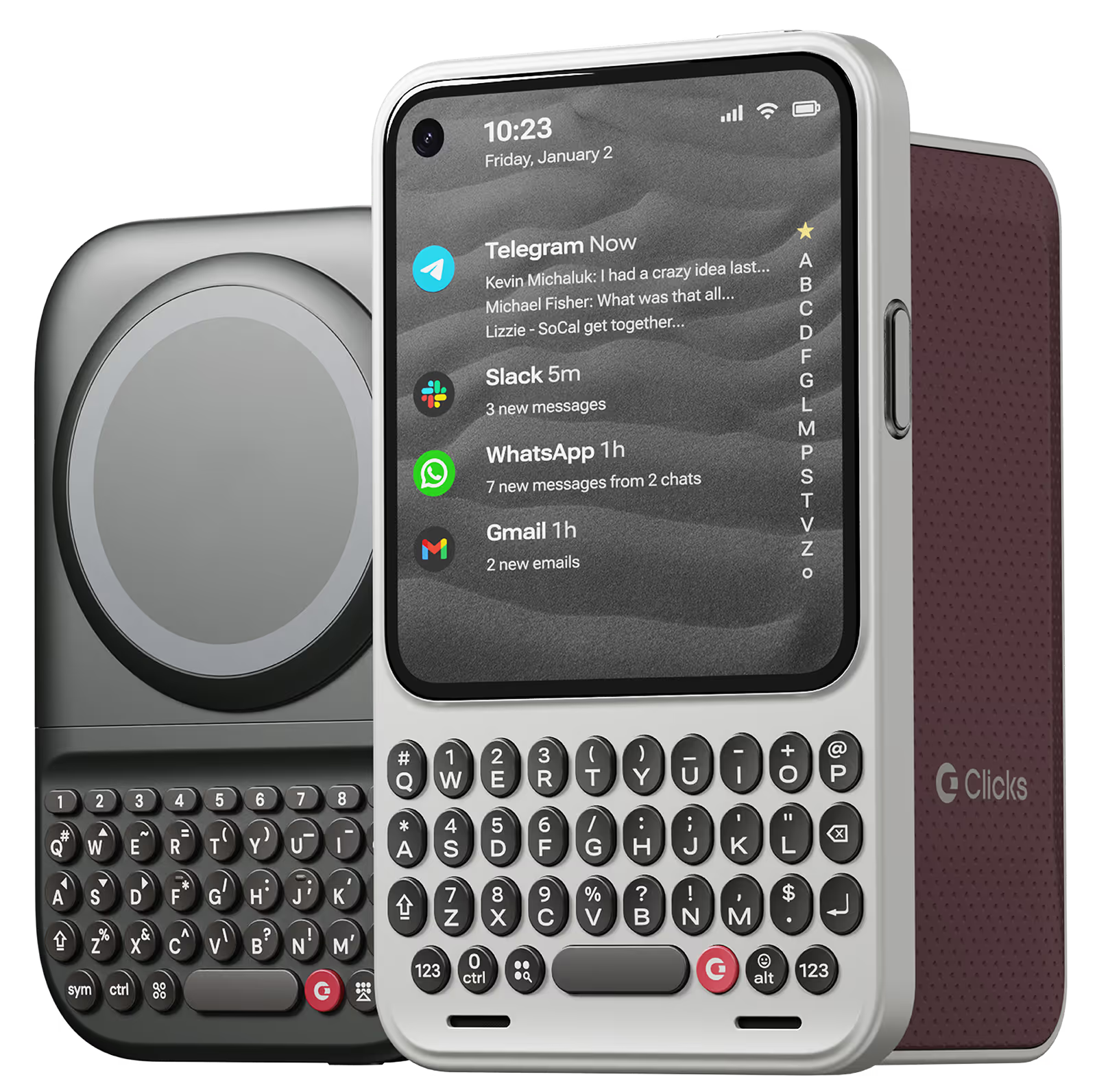
Clicks for iPhone 17

Thinner. Lighter.

More productive.

Our best and most refined keyboard case yet.

Why you'll love Clicks.

1
Feel satisfying real buttons
Pressing real buttons and hearing that little clicking sound feels more natural and rewarding.
Replay
2
Elevated premium protection
Brushed metal side keys, a microfibre lining, and a new enclosure that feels great while adding protection inside and out.
Replay
3
See more screen
Free your screen, with 50% more usable display to work, play, surf, chat and engage with your content.
Replay
4
Take action, faster
Launch customized shortcuts at the push of a button. Personalize your keyboard to control your home, launch apps, text or call contacts.
Replay
5
Keep your laptop at home
Make more happen right from your phone without needing to crack open your laptop.
Clicks for iPhone
Available for iPhone 16, 15 and 14.
In stock & shipping now.
Buy Now
Clicks for Pixel
Pixel-perfect productivity.
Available now.
Buy Now
Clicks for Razr
Pocket-sized. Power-packed.
Available now.
Buy Now

Buttons with benefits.

More Screen

Get 50% more usable display to work, play, surf, chat and engage with your content.

Customizable Shortcuts

Launch custom actions at the push of a button.

Powerful Productivity

Real buttons that help you work smarter while away from your desk.

What Clicks users are saying.

Based on 5,328 user reviews.
Cassandra D.
Clicks for iPhone 14 Pro

love it had to get comfortable with the keys 💗

Visit source
Takeshi Y.
Clicks for iPhone 15

I bought the Clicks on Iphone 15 pro max and Iphone 14 pro. Both are good products. I recommend the Clicks on Iphone 15 pro max because big keyboard is more useful!

Visit source
Clive H.
Clicks for iPhone 15

Great product, but unfortunately the keys and balance doesn’t work well well for me. I would also like the keyboard to be heavier or weighted. It made the phone too long and floppy. My hands have some flexibility limitations, so the product just wasn’t right for me. A modified case with a battery bump, under the keyboard and extending towards the top of the phone, might help the phone’s holding balance with the additional benefit of an external battery pack. Just a thought for a future version.

Visit source
Andres Medina
Clicks Keyboard for iPhone 16

I just purchased the Clicks for my 16 Pro Max, delivery was fast and im really happy with the design and quality.

Visit source
Ammar B
Clicks Keyboard for iPhone 15

Typing on my phone is very enjoyable now and Clicks made me more productive on my iPhone 15 overall. My only concern is now I feel l can’t live without it, so hopefully I can get Clicks on future phones as well!

Visit source
JEONGHOON S.
Clicks for iPhone 15

I am very satisfied. I think I will buy next time

Visit source
Jeremy L.
Clicks for iPhone 15

A great case of You want a physical keyboard! I Love the extra screen space! It would be nice to keep the Predictive Text bar and still have the passwords bar pop up like normal… Other than that, it’s such an amazing case!

Visit source
Karl Eklund C
Clicks Keyboard for iPhone 16

I really like how user friendly it is Just plug and play

Visit source
David E.
Clicks for iPhone 16 Pro

Attention, tech enthusiasts and keyboard warriors! Remember the nostalgic days of tactile typing on your mobile phones? The satisfying clickety-clack that accompanied every text message, email, and hastily written note? Relive those moments with Clicks for iPhone, a resurrection of the lost art of physical keyboarding. As a seasoned veteran of the mobile phone scene, I've witnessed the rise and fall of countless trends, but few have intrigued me like Clicks. This ingenious little add-on empowers you to transform your sleek touchscreen iPhone into a pocket-sized productivity powerhouse, enhancing your efficiency on the go. The Clicks keyboard is a marvel of engineering, with well-spaced keys that provide just the right amount of tactile feedback. Typing on it is like typing on a miniature laptop, but without the bulk or the awkward stares from fellow commuters. Sure, it takes a bit of getting used to. My thumbs initially felt like a fish out of water, flopping around in search of their digital home. But after a few days of practice, I was zipping through emails and social media posts with newfound speed and accuracy. And let's remember the sheer joy of hearing that satisfying click with every keystroke. It's a symphony of productivity, a rhythmic reminder that you're getting things done. Of course, there are a few minor quibbles. The Clicks keyboard adds a bit of bulk to your iPhone and makes it longer. But for those of us who prioritize function over fashion, these are minor sacrifices. So, if you're tired of hunting and pecking on your touchscreen keyboard or simply yearning for the tactile typing experience of yesteryear, give Clicks for iPhone a try. Your thumbs will thank you.

Visit source
Victor P
Clicks Keyboard for iPhone 16

Thank you! Great keyboard

Visit source

Clicks has you covered.
Try for 30 days.

It takes a week or two to get used to typing on real buttons –  you’ll need a little bit of patience and perseverance. Trust our tens of thousands of customers, it’s so worth it!

If it’s just not for you, we’ll give you your money back, no questions asked.